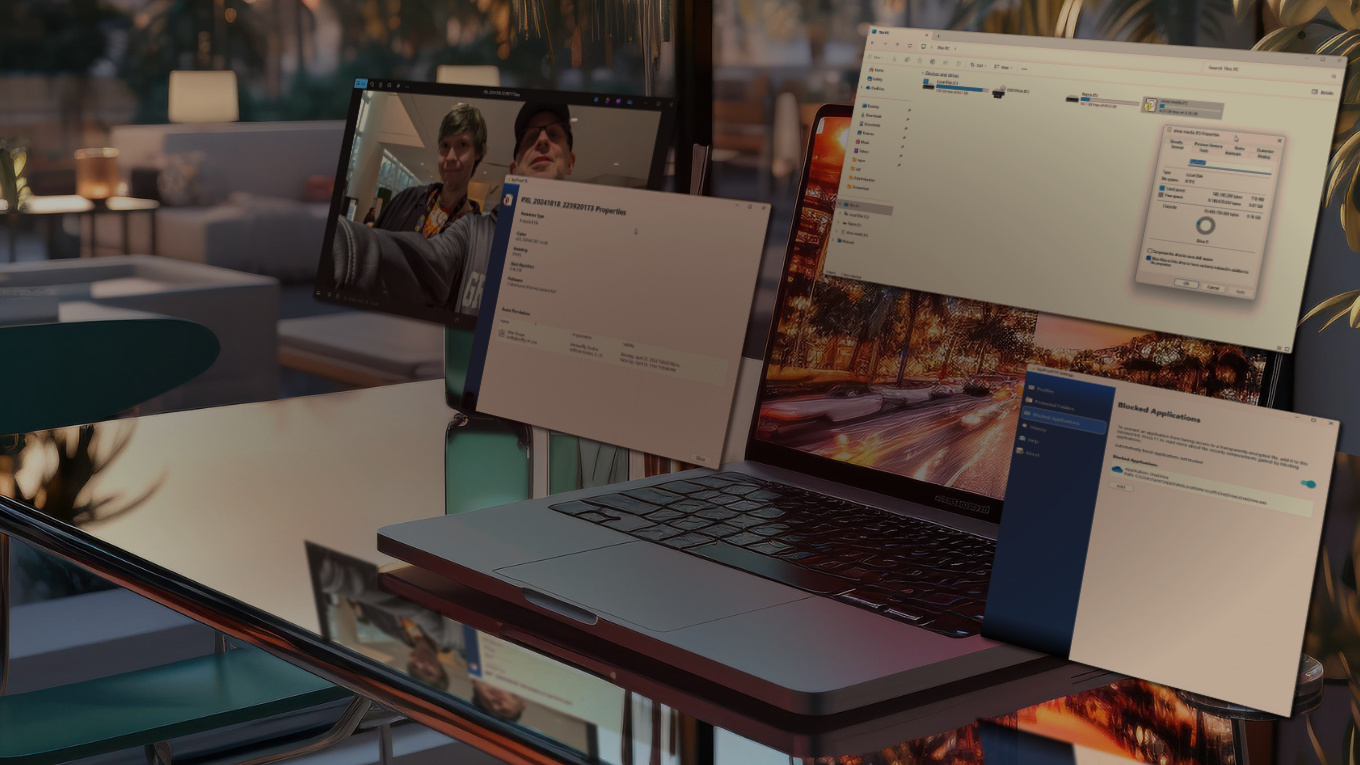
Effectively Tackled Data Protected
The Refactored SpyProof!
Growing up video game playing was a nearly a daily routine. Naturally, when Insomniac Games was victims of ransomware that caused all their intellectual property be made publicly available, that was taken a bit personal. That resulting in using a position as an engineer for a data protection cybersecurity solution, one designed to kick in for the event of theft, to be designed to be as integrated into daily workflow without causing inconvenience.
Cyber Security isn't one of those overused buzzwords (looking at you AI) but strategic layers to mitigate loss of much hard work. SpyProof! focuses on protecting sensitive data, meeting regulatory requirements, and safeguarding reputation. More specifically, at the core of the application is secure coding practices, multi-thread protection, memory management and every discipline to produce reliable software and stop bad actors gaining system level access. This propagates to cloud and local data security through the use of encryption to prevent data loss through theft by stolen device, malware, the cloud or Wall Street get rich quick types peeking through stuff they shouldn't (still looking at you AI.)

Your Data is Only as Secure as the Programs That Protect It
tl;dr
- Files protected by working with Device Driver vendors
- Windows APIs carefully placed for seamless workflow
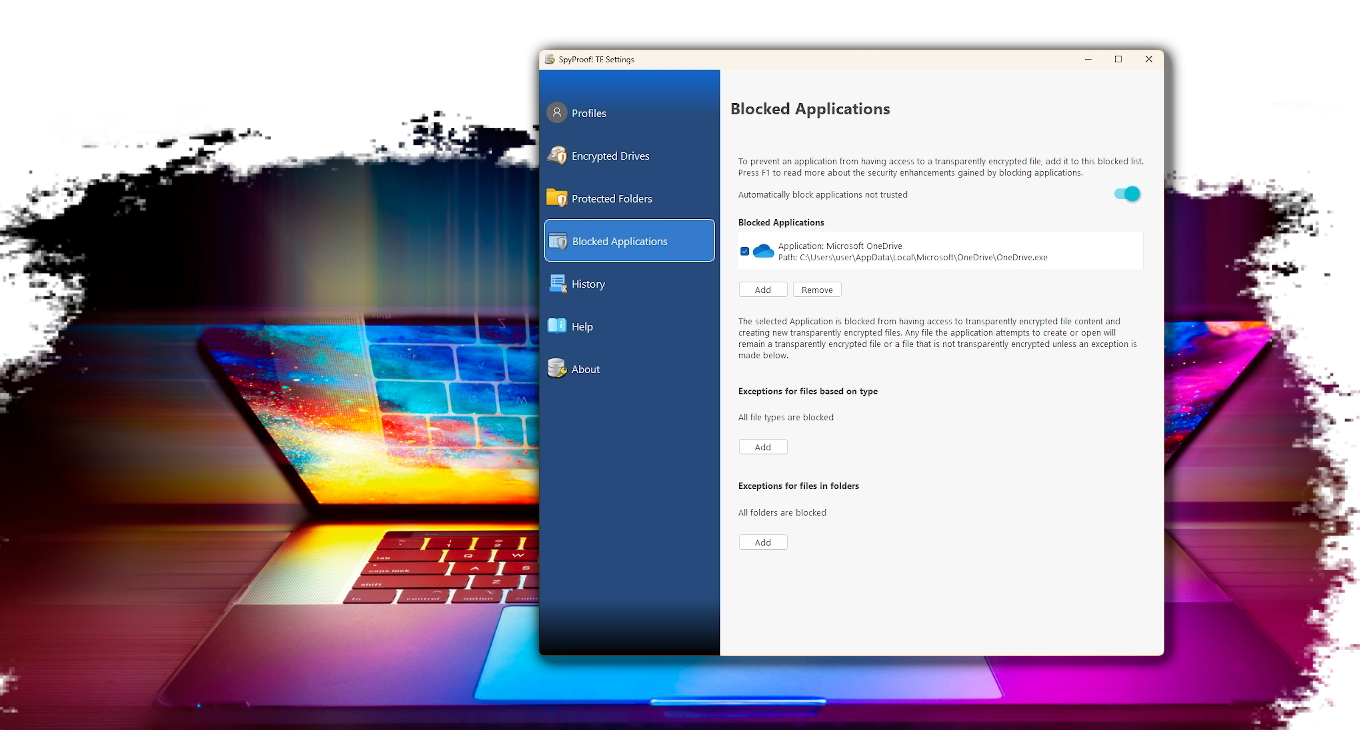
- Rouge applications are blocked automatically
- Designed handling of private files in virtual storage drives
- Pure PKI Cryptography integrated in places of value
- No SQL, no Active Directory, no Azure AD join required
For those of you unfamiliar, a block zone is a place where a rollercoaster train can be brought to a controlled stop in the event of computer crash or power failure. Fail safe design is incorporated into the software framework upon which SpyProof is built. With the amount of file system filter device drivers routine checks that encrypted ciphertext or recovered data can be safely placed without data loss are a necessity. Also like a rollercoaster that needs to identify train locations before the system can resume an online state, working areas where user data may be exposed during unexpected system restarts get special attention to clean up and future enhancements to recover important data as it was in the work flow.
(Shout out to ElToroRyan)
But wait, there is even more technical engineering that went into this software in these additional areas:

System File Filter Device Drivers Available on both Windows and Linux
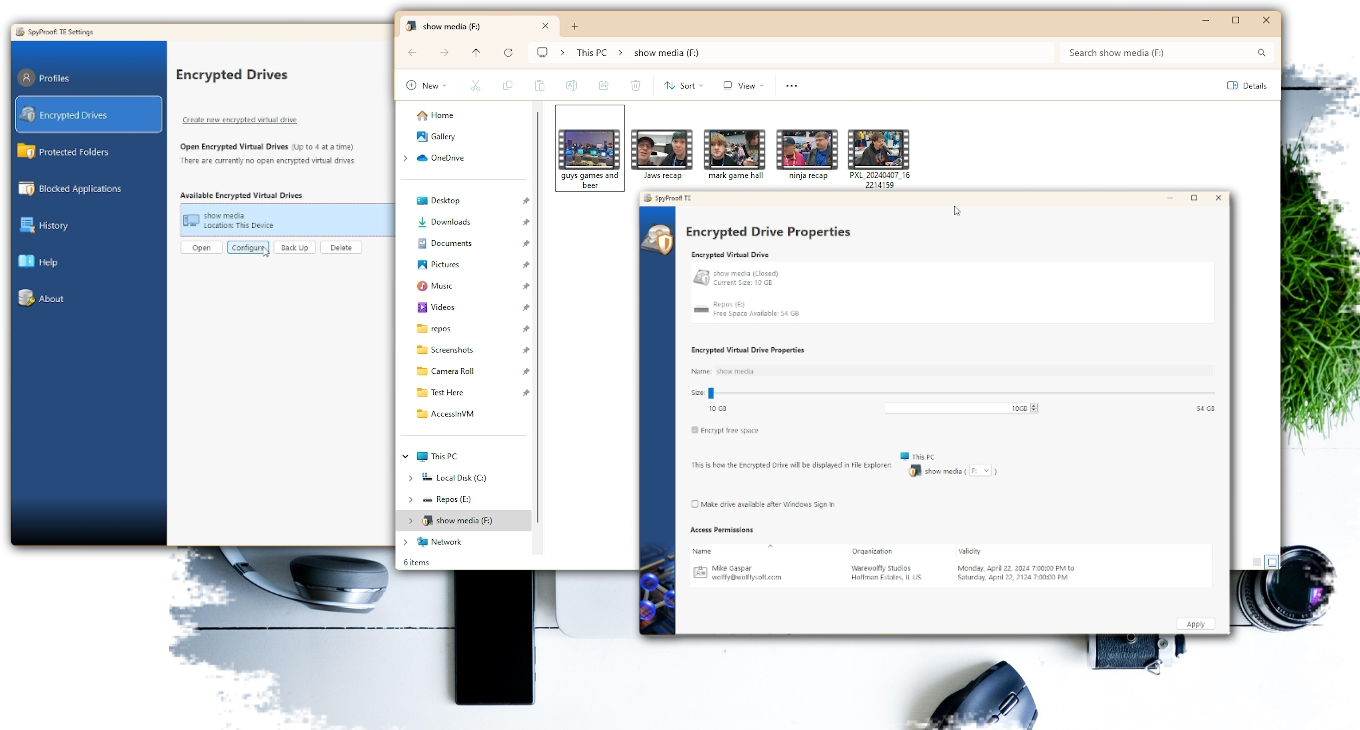
Device drivers are written by the pros but each provider offers a service in which implementing the custom security features is performed. To provide transparent encryption without being intrusive to the device user there are two of these filter drivers. One offers encryption on a file by file bases with access control specified by the folder in which the file is stored. The second offers encryption through a virtual drive. Why both? For a studio that has Visual Studio Solutions composed of many projects as well as source video destined for the editor’s desks encrypted drives work best as access control can be isolated. In a corporation where spreadsheets, confidential PDFs and small source code projects file level encryption works best.
Working at the file level is simple as that filter driver just calls into the implementation per file access and doesn’t need to maintain state during an app shutdown or, ugh, unexpected termination. The device driver working with drives doesn’t contain a way to query devices that mounted, and it honors Windows Fast Boot in which the device state isn’t restored on a shutdown/power on of the device. It’s the creative engineering to make a determination based on the application caches and configurations to determine if a mounted volume at a drive location is a protected volume or some thumb drive got inserted along the way.
Speaking of thumb drives, absolutely these are supported for both levels of protection and additional functionality occurs upon device insertion or removal.
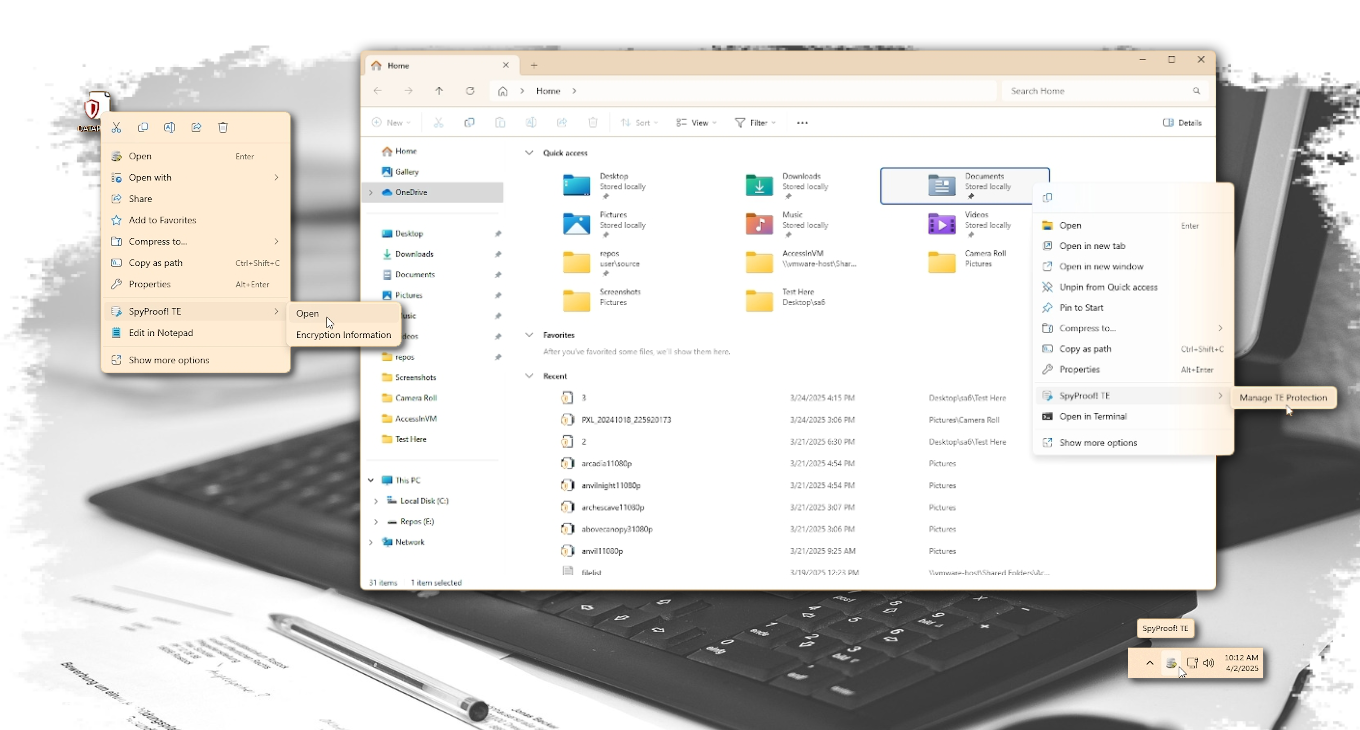
File Explorer Integration Available on both Windows and Linux
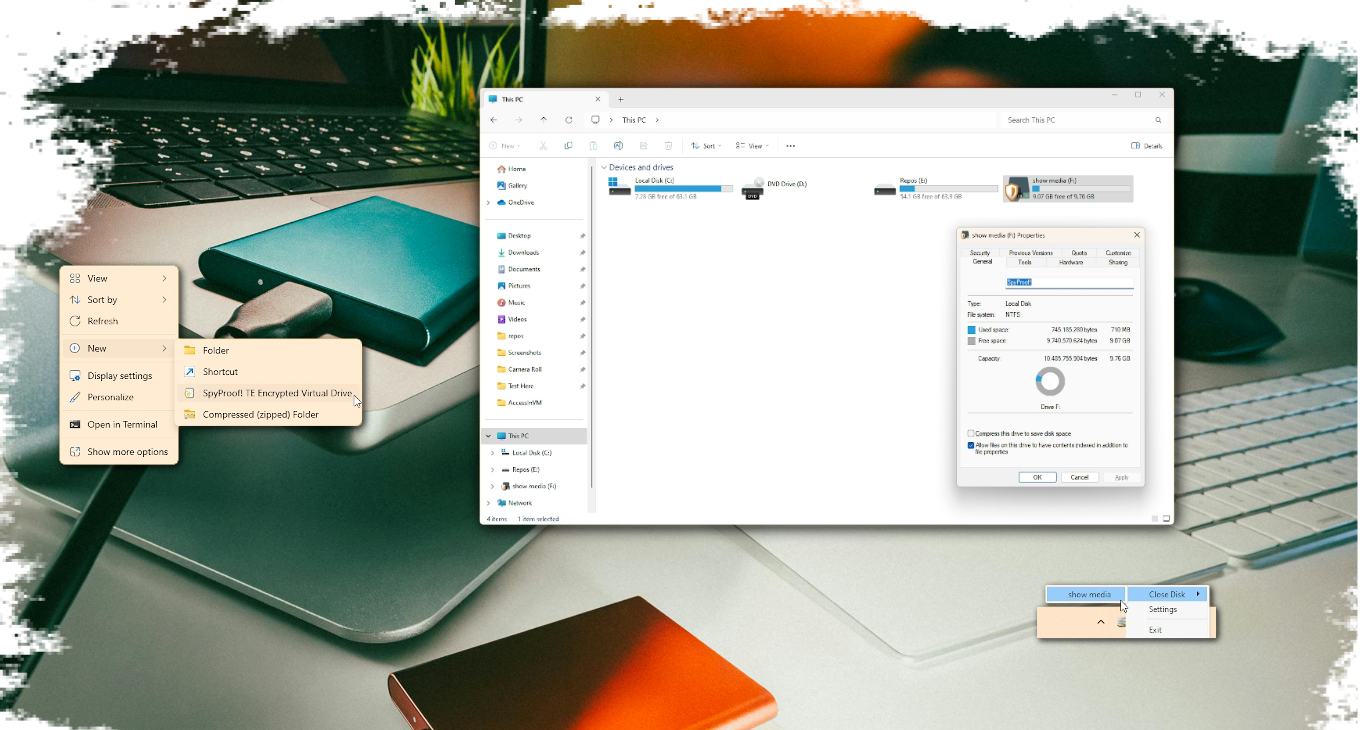
Working with files and drives meant the best location for access to features would be in File Explorer. Some integration is easy with a few registry additions but others required a system tray component and the context menu capabilities from a right-click. That part required COM, Microsoft's solution to a question no one asked. Necessary Evil aside, doing away with a clumsy application and relocating access to features where someone would need them, in an application that is the main gateway to the device (and hopefully well known by the person at the keyboard) reduces, in theory mind you, end user training.
This level also requires that when a feature requires the presentation of a window that the widgets displayed are easily identifiable as being “oh that security product”. This isn’t a marketing discussion but a conversation about consistency and presentation as well as flow. PKI is hard and at times even having the right sequence of logic for the everyday person to follow provides a unique set of challenges.
The system tray icon represents the master instance of the application. Invoking any menu action will do what all actions in Explorer due, Shell Execute a command line instruction. These new instances, upon determining that it is not the master instance, then proceed to instruct the master instance which action to perform. In the case of displaying a window, extra steps have to be done thanks to the Windows Desktop Manager service. To prevent apps from jumping into the foreground the Master Instance would never have windows brought to the foreground as that is not the instance that was spawned by the person interacting with File Explorer. Before passing the command to the Master Instance the spawned instance has to communicate to the Desktop Manager service that it is associated with the Master Instance and that instance is working on its behalf. Now Windows created by the Master Instance will be brought to the foreground 95% of the time. Even Microsoft admits it won’t happen all the time as there are other considerations the Desktop Manager is considering. Windows itself likes to inject its own set of challenges.
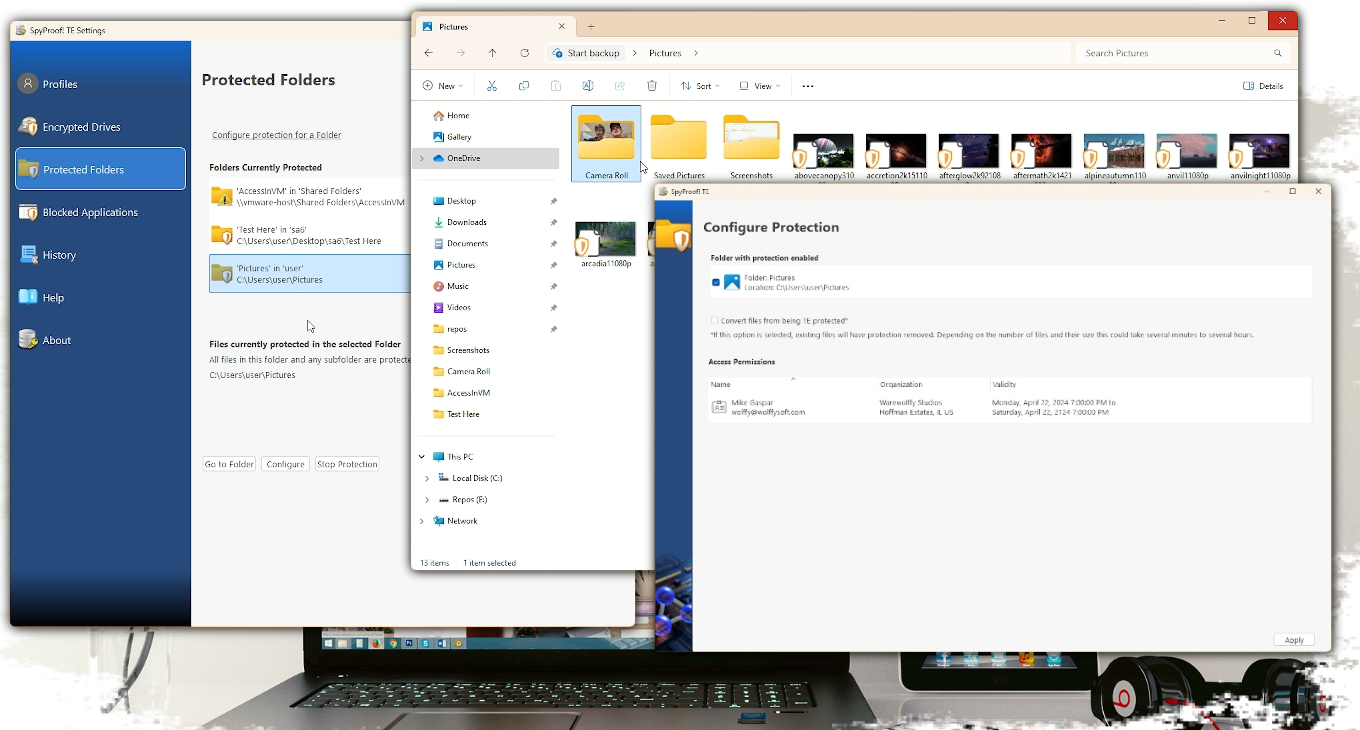
Please note: The password protected option for sharing requires the person receiving the file to also be a SpyProof! customer.
Windows Event Integration Available on both Windows and Linux
A key component of the framework is to grab power states and device arrival and removal events, the latter being the surprisingly fun to implement. Folder encryption behind the scenes is rule based and rules can exist on removable drives. However, if a folder is not found it is flag in the appropriate spot as a folder not available. If it’s on a removable drive that has the correct folders, the rule needs to engage so transparent encryption at the file level can continue.
Not going to lie, it is more impressive to watch these hooks engage when using encrypted virtual drives. Drives are stored as files and the last thing anyone wants is an individual to discover large files not recognized and deleted to free up storage space. That wouldn’t be fail safe and result in data loss! These files are intentionally not discoverable by browsing File Explorer. The underlying folder structure is known which means cunning wolf engineering can be used to detect if a removable device has an encrypted volume, if the logged on user has the proper credentials and then auto mount. Everything becomes accessible automatically, or if the person doesn’t have the proper credentials, the encrypted volume is out of sight out of mind.
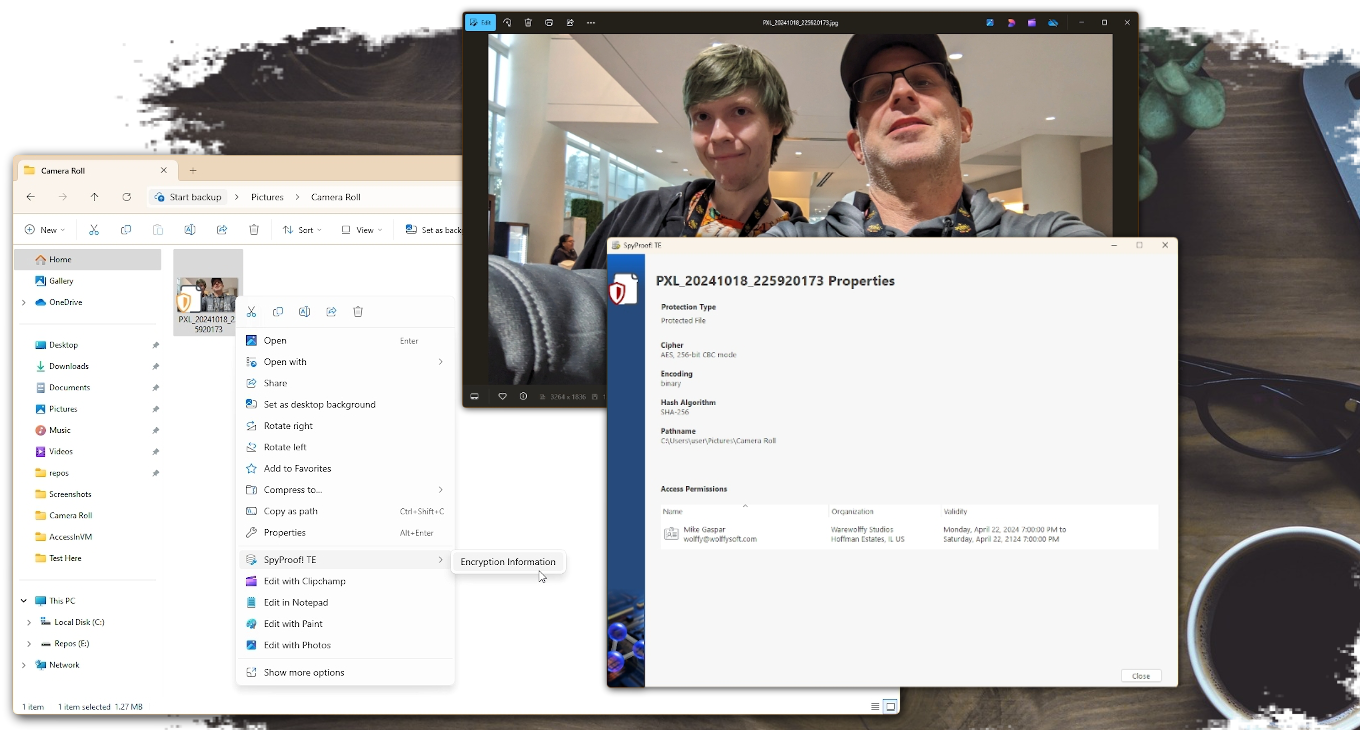
Fluent Design Available on both Windows and Linux
Reading the fluent design document is quite insightful. Haven’t figured out why some options are buttons and some are links? It’s in the document. As book club worth of a read that document was, it inspired a flow that is consistent with Windows 11, iOS, Android, essentially all the modern operating systems which once again plays on that human understanding of interfaces. If the person at the controls feels empowered that there is an understanding of how the software works and can just use it intuitively, then the user experience portion of the process is on track.
Revamped Notifications Available only on Windows
In a product intended to sit quietly in the background and be a data protection assistant in day to day workflow, there are times when alerting the person at the keyboard is necessary. The framework includes a revamped way to call into the desktop event notification API to provide notifications as a long background task has completed, something required is currently not running, or an untrusted app tried to access encrypted content and was blocked for further investigation. Because this framework is so new, a safe wager is that no one has noticed the handy notification that an important certificate is about to reach its expiration date. Now you know! Keep this between us, it's more fun this way.
Refactored to C++20 Available only on Windows

Cryptographic algorithms are delivered as API calls. It then becomes the job to create the cohesion that brings the APIs together. The asymmetric are delivered as direct calls into the cryptographic kit. While porting in samples from other software products the use of integer types with defines for values was abundant. It was during the discovery process of integrating the new API calls paving the way for quantum computing proof cryptography that it was discovered that parameters were being used interchangeably such as a define for a hash passed in as input to an AES parameter. It was at this point that every define had to be reclassified as a typedef enumeration allowing the compiler to error when such typos occurred.
Sample code provided to the integrators also made too many impressions that numerous required methods were voids but were in fact returning values, again of the integer variety that the mathematicians said required to be checked for results. Not what the results mean and the actions to take when a result other than success returns. The framework was modified to handle the calls and trap for conditions but since the integration team has no control of the APIs, there is control over our methods to include the [[no_discard]] directive. Interfaces play a major role in the framework so additional attention to providing an override to every implementation of a virtual method was provided. This not only is intended to prevent the current team from causing an inadvertent bug but also is forward prevention against the six-month from now team or new additions from introducing an oopsie in a framework that has a hard requirement to be built in a security first mindset.
Multithread Challenges Available on both Windows and Linux
This app is built on decades of experience using Qt. Now, ask anyone who has a boss level title at the company that sells this product why when integrating with the device driver’s services we use all the thread critical section locking learned from college and why the desktop application doesn’t. Don’t worry the Wolffy will tell you. It’s because of where the event loop is running. The signal-slot mechanism is amazingly powerful and has endured vigorous testing. With the serialization (those traditional thread locking mechanisms behind the scene) ensuring that each slot is invoked in a thread safe manner leaves the creative mind to maximize the possibilities.
When integrating at the file system level this is, well, a nerve-wracking at times challenge to engineer due to the need to be fast, accurate and responsive otherwise the entire system can grind to a halt. Don’t even get started on the re-entrant problem that needs to be addressed as file access happens continuously by every service and background process. Qt is smart! All visual widgets are only allowed in the main process thread. The freedom comes from spawning threads then that can be foreword predicting such as server requested approval for data access requests, validation of rules all while incoming client requests are still receiving responses.
Don't Worry, We Got This!
With all the news about data breaches, ransomware and scammers out there trying to get access to your digital life wouldn't it be nice to let that worry be someone else's problem? That's not going to stop anytime soon so neither are the engineers whose passion built this solution.
Updates and Release Notes - SpyProof release notes